Process to View Online Map in Bihar – बिहार में भूमि का नक्शा ऑनलाइन कैसे देखें?
Three years ago, two brothers in a village near Gaya stopped talking to each other. The reason was a strip of land, barely six feet wide. One said the boundary ran along the old mango tree. The other said it ran along the drain. Neither had a paper to prove it. A relative finally asked a simple question: “Has anyone looked at the map?”
Nobody had. And when they did, the answer took about five minutes.
That is the quiet power of the online map. If you know the process to view online map records in Bihar, you can see your plot, its shape, and its neighbours from your phone, before any argument, purchase, or loan. This guide explains the whole process in simple words: where to look, what to enter, what the map shows, and how biharbhumiseva.in can help you along the way.
Online Map क्या है? What Is an Online Map in Bihar?
An online map in Bihar is the digital version of the village cadastral map, also called bhu naksha or bhumi naksha. It shows every plot (khesra) of a village drawn as a shape on a mauza sheet. You can see where your plot starts, where it ends, and which plots sit next to it.
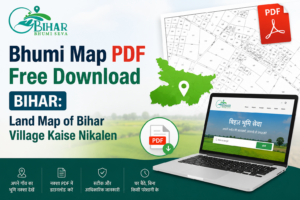
The Bihar government keeps these maps on its official portals, mainly the Bhunaksha portal and the DLRS portal. Bihar Bhumi Seva, at biharbhumiseva.in/download-map, gives you a simple form to view online map details without hunting through several websites.
| Term | Simple meaning |
| नक्शा / Naksha | Map of the village or plot |
| खेसरा / Khesra | Plot number |
| मौजा / Mauza | Revenue village |
| थाना / Thana | Revenue police station area |
| Online map view | Seeing the map on screen, free of cost |
NOTE: One honest note before we go on. Bihar Bhumi Seva is a private service and not a government website. Use it to make the process easier, and always confirm important details on the official portals.
Online Map क्यों देखना चाहिए? Why View the Online Map
Most people look at a map only after a problem starts. That is too late. Here is when it helps most:
- Before buying land: You can check the plot shape, size, and road access
- During boundary disputes: The map shows where your plot ends and the neighbour’s begins
- Before a bank loan: Lenders often want a clear plot identity
- While planning to sell: A clear map helps buyers trust you
- For family partition: Everyone can see the same plot, so there is less argument
Spending five minutes to view online map details costs nothing. It can save you months of trouble.
View Online Map से पहले क्या चाहिए? What You Need
Keep a few details ready. The process is faster when you do.
| Detail | Where to find it |
| District (जिला) | Your land papers or khatiyan |
| Area type: Village or City | Whether your land is in a gaon or shahar |
| Revenue Thana | Jamabandi or khatiyan |
| Mauza name | Jamabandi or khatiyan |
| Khesra / Plot number (optional) | Khatiyan, deed, or lagan receipt |
| Mobile number | For updates and download links |
If you do not know your khesra number, you can still open the mauza map and find your area by sight. But the khesra number makes it much quicker.
Process to View Online Map on Bihar Bhumi Seva – Step by Step
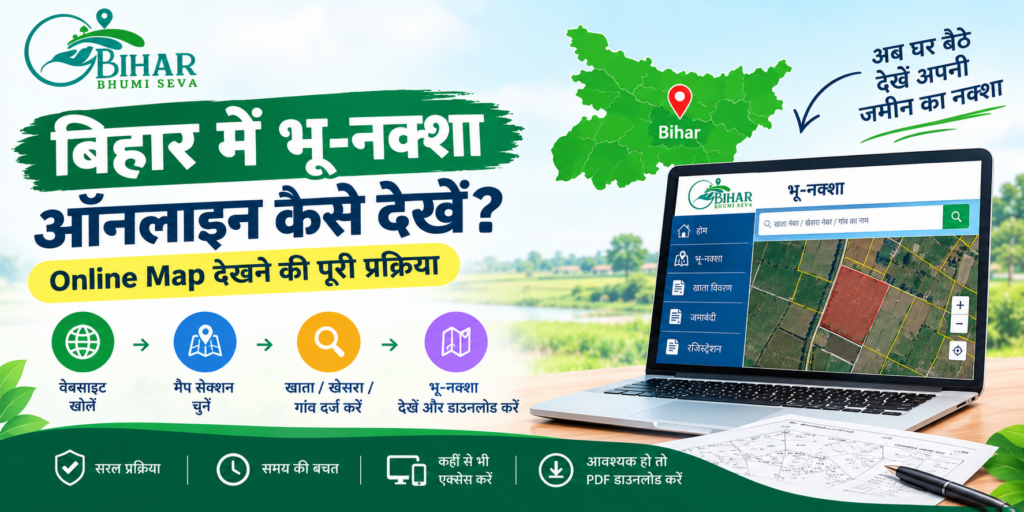
Here is the simple way to view online map details using biharbhumiseva.in/download-map.
Step 1. Open the map page
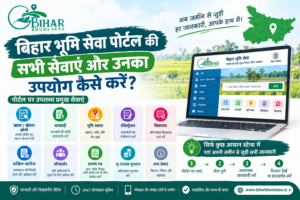
Go to biharbhumiseva.in and click Bhu-Naksha under Land Services. You can also tap “भू-नक्शा डाउनलोड” in the quick services section. It works on both phone and computer.
Step 2. Choose your district and area type
Select your district from the list of 38 Bihar districts. Then choose Village (गांव) or City (शहर), depending on where your land is.
Step 3. Enter revenue thana and mauza
Type or select your revenue thana and your mauza name. Check the spelling against your khatiyan. One wrong letter can show you a different village.
Step 4. Add the khesra number (optional)
If you want a specific plot, enter the khesra or plot number. If you leave it blank, you will see the wider map.
Step 5. Enter your mobile number
This is used for service updates and download links, so use a number you actually check.
Step 6. Click View Map
Tap the View Map button. The digital plot map opens on your screen.
Step 7. Download the PDF if needed
If you want to keep a copy, click Download PDF. Save it on your phone and also in your email, so you never lose it.
Official Way to View Online Map: Bhunaksha Portal
You can also view online map details straight from the government’s own portal. This is the best way to double-check what you see anywhere else.
- Open bhunaksha.bihar.gov.in and go to the View Map section
- Select district, sub-division, anchal, mauza, survey type, and sheet number
- Click on your khesra to highlight it
- Read the plot details shown in the information panel
- Check that the khesra number matches your khatiyan and sale papers
Logging in is optional for viewing, though logging in lets the system record your searches. The map you see on screen is meant for reference and is not a legal document by itself.
| Portal | Best for |
| biharbhumiseva.in/download-map | Quick, simple form to view online map and download PDF |
| bhunaksha.bihar.gov.in | Official view of the plot on the mauza sheet |
| dlrs.bihar.gov.in | Official map ordering and delivery |
What Does the Online Map Show You?
Once you view online map data, here is what to look for.
- The plot shape: Your khesra drawn as an outline on the sheet
- Neighbouring plots: Which khesra numbers sit around yours
- Plot details: Information shown alongside the map
- Road or path access: Whether your plot seems to touch a road or looks closed in
Bihar Bhumi Seva highlights three things this helps with: accurate plot dimensions, official DLRS tracking, and verifying ownership boundaries.
Printed Map Chahiye? Ordering Through DLRS
An online map on screen is good for checking. If you need a printed copy, the DLRS portal allows ordering.
- Search by area type, map type, district, thana, and mauza
- Choose the sheet number and add it to the cart
- Up to five sheets can be ordered in one transaction
- Enter your name, email, phone, and address, then pay
- Track delivery status afterwards
Charges include the sheet fee, container charge, and postal charge. Fees can change, so always confirm the current amount on the portal before you pay.
Bihar Bhumi Seva पर Online Map देखने के फायदे
Many people find the government portals confusing the first time. Menus are long, and the names are not always easy to follow. This is where biharbhumiseva.in helps.
- One simple form: District, area type, thana, mauza, and khesra are all in one place to view online map details
- Works on mobile: You do not need a laptop
- PDF download: Save the map and share it with family or a lawyer
- Support on call: Phone +91-7765812226 if you get stuck
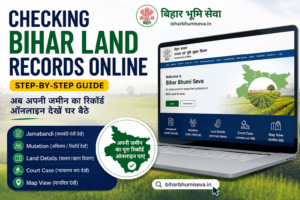
- Related services nearby: From the same site, you can reach khatiyan, jamabandi, and mutation pages
Online Map का इस्तेमाल कहां-कहां होता है? Real Use Cases
| Situation | How the online map helps |
| Buying a plot | Confirms the shape, size, and neighbours before you pay |
| Boundary fight | Gives both sides the same reference to start from |
| Bank loan file | Shows a clear plot identity |
| Selling land | Lets buyers view online map details and trust the listing |
| Family partition | Helps divide land with fewer arguments |
A smart habit is to view the online map and your khatiyan side by side. If the khesra number on the map and the number in your papers match, you are on safe ground.
Online Map देखते समय ध्यान रखने वाली बातें
A map is helpful, but it has limits. Keep these points in mind.
| Point | Why it matters |
| Multiple surveys | Bihar has cadastral, revisional, and special surveys, and the same plot can have different numbers or shapes in each |
| Approximate boundaries | Lines come from older surveys and may not match the exact ground position |
| Not proof of ownership | The map shows location; the khatiyan and jamabandi show the record |
| Reference only | The online view is not a legal paper |
| Always verify | Visit the plot and check with an amin if the boundary matters |
For a disputed boundary, the next step is an amin survey, and your map copy will help the amin understand your claim faster.
Common Mistakes When You View Online Map
| Mistake | What to do instead |
| Choosing the wrong mauza | Match the spelling with your khatiyan |
| Selecting Village instead of City | Check whether your land falls under a municipal area |
| Wrong khesra number | Copy it from the original khatiyan |
| Mixing survey types | Confirm which survey your papers follow |
| Treating the map as final proof | Use it with the khatiyan and a ground check |
| Map not found | Records may still be updating, so check with the local office |
Frequently Asked Questions: View Online Map Bihar
Bihar में online map कैसे देखें?
Open biharbhumiseva.in/download-map, select your district, area type, revenue thana, and mauza, then click View Map. You can also use the official Bhunaksha portal.
क्या online map देखने के लिए पैसे लगते हैं?
Viewing the map is free on the official portals. A printed copy ordered through DLRS and a certified extract have separate charges, so check the current fee first.
क्या मैं बिना खसरा नंबर के map देख सकता हूँ?
Yes. The khesra number is optional on Bihar Bhumi Seva’s form. But it helps you find your exact plot faster.
क्या online map कानूनी दस्तावेज है?
No. The online view is for reference. For legal use, rely on certified records and verify on the ground.
Map नहीं मिल रहा तो क्या करें?
The mauza record may still be updating. Check the spelling first, then ask at the local Circle Office.
क्या Bihar Bhumi Seva सरकारी वेबसाइट है?
No. It is a private service and not authorized by any government department. It helps you view maps and understand the process, and you can call +91-7765812226 for guidance.
Related Blogs:
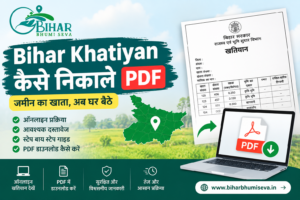
- Bihar Land Record: Download Your Khatian Online (खतियान डाउनलोड करें)
- Circle Officer in Bihar Roles and Responsibilities Explained
- What are Khata Number, Khasra Number, and Plot Number? Full Details
- Bihar Bhumi Naksha Download – Step-by-Step Guide
- 5 Easy & Reliable Ways to Find the Real Land Owner in Bihar
- How to Apply for Land Registry in Bihar – Process Explained
- Common Land Mutation Mistakes in Bihar & How to Avoid Them
- Circle Officer In Bihar – सर्किल ऑफिसर की पूरी जानकारी, District-wise List & Contact 2026
In Short
The two brothers near Gaya finally sat down with a phone. They viewed the online map, found their khesra, and saw the boundary line themselves. It did not settle everything on the spot, but it ended the guessing. An amin confirmed the line a few weeks later, and the mango tree stayed where it was.
That is the real use of the process to view online map records. It gives everyone the same picture, before emotions and rumours take over.
Open biharbhumiseva.in/download-map, enter your district, thana, and mauza, and look at your plot today. Then cross-check on the official Bhunaksha portal. A few minutes now can save you from a long dispute later.